
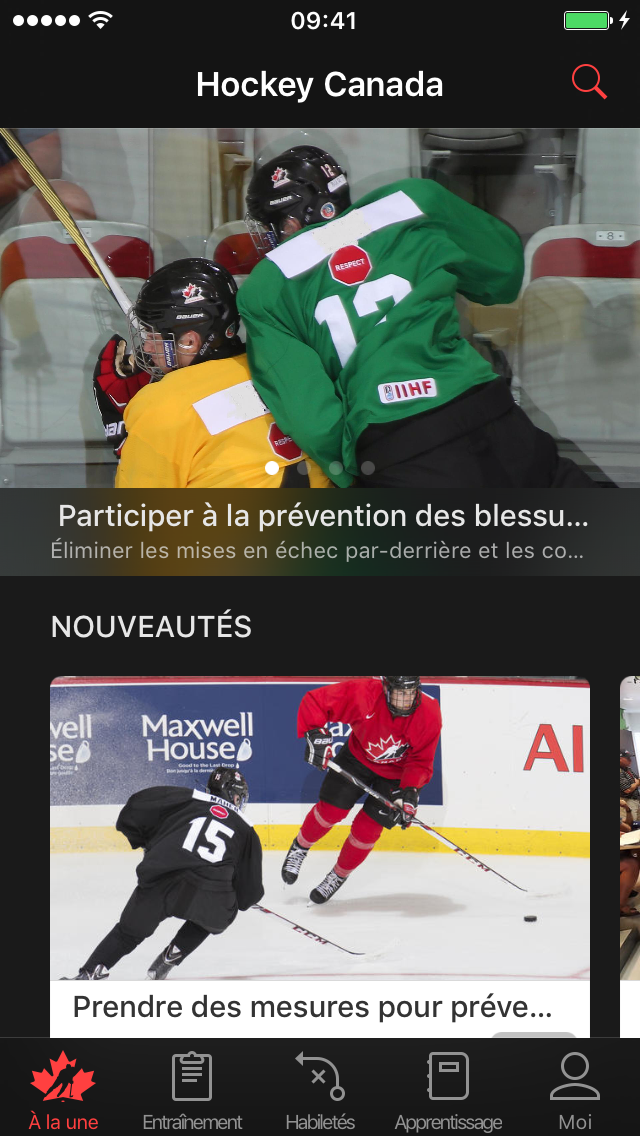
To view the Hockey Network Canada app in French, you will need to change the language of your iOS device.
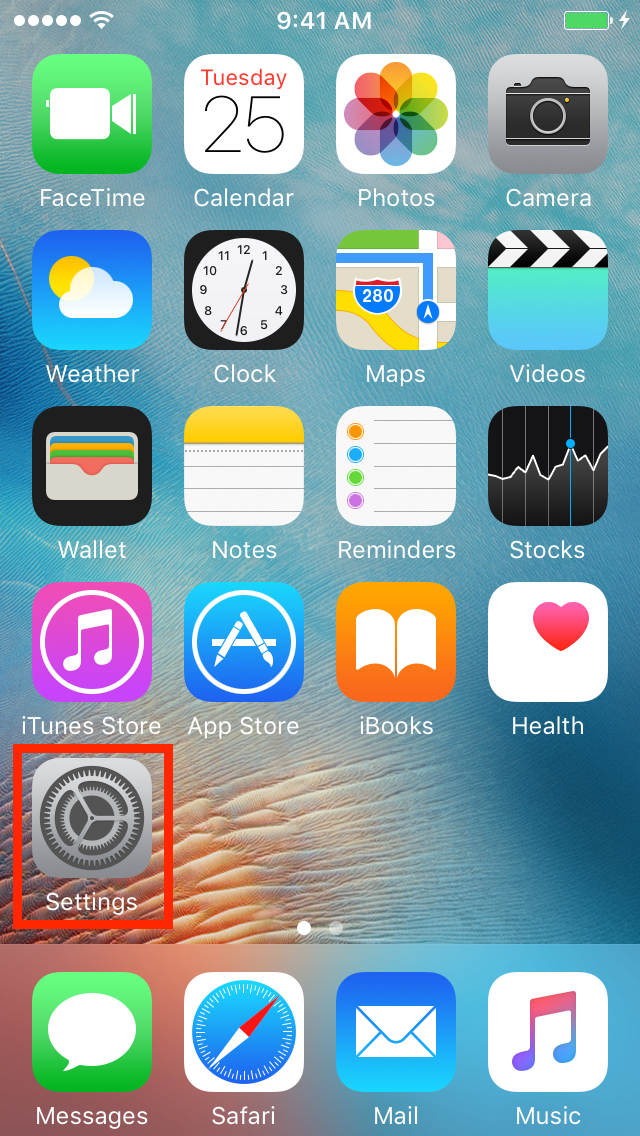
Go to "Settings" on your iOS device.
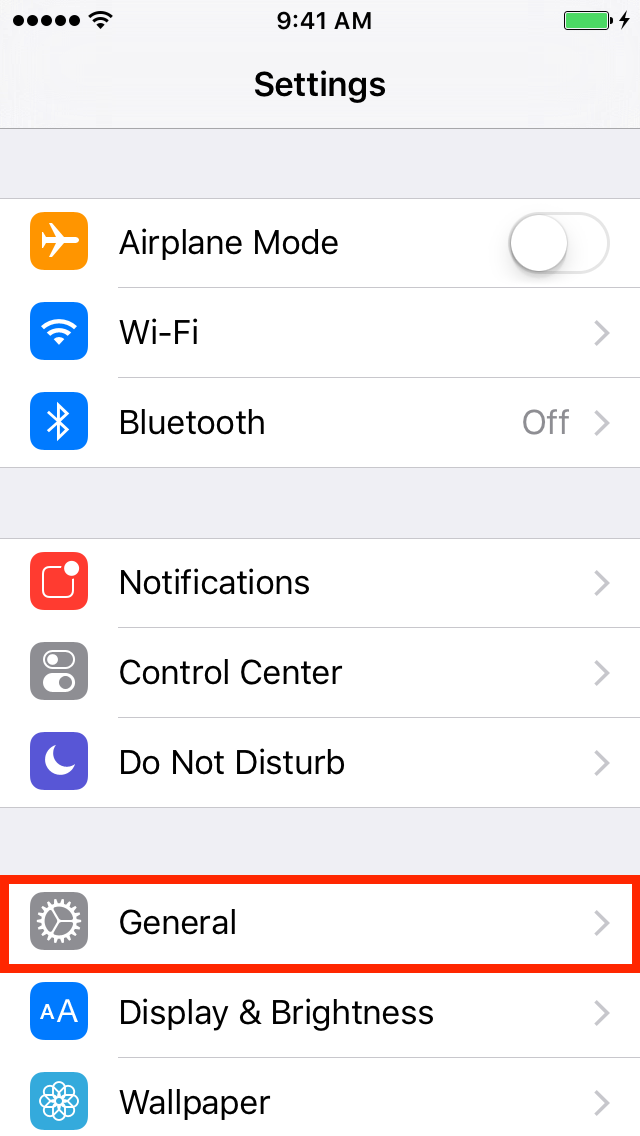
Click on "General."
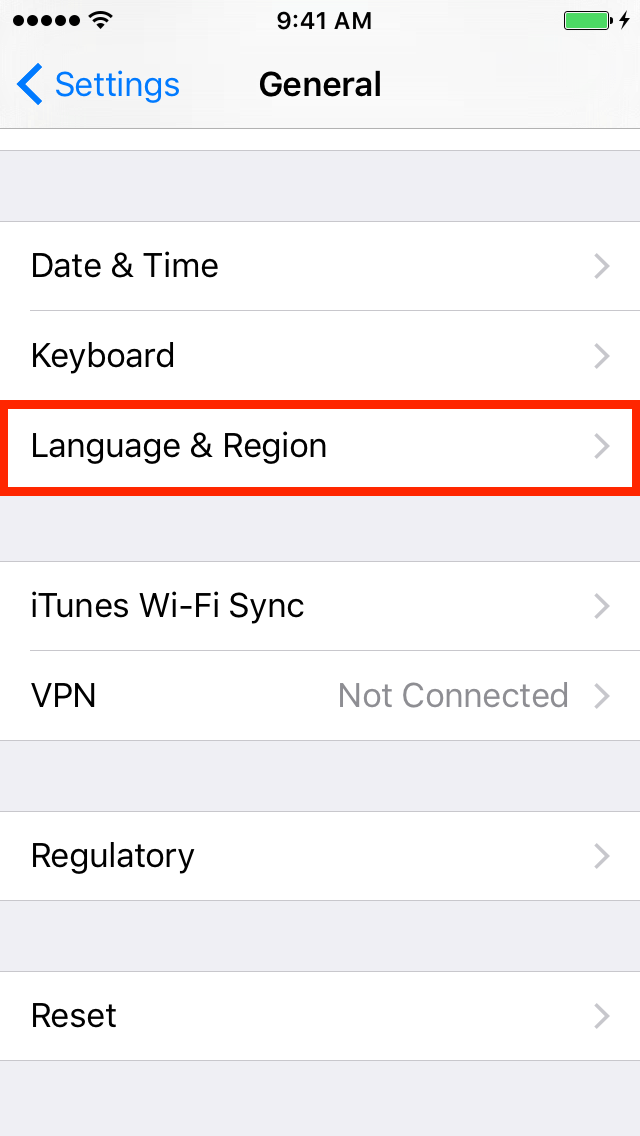
Click on "Language & Region."
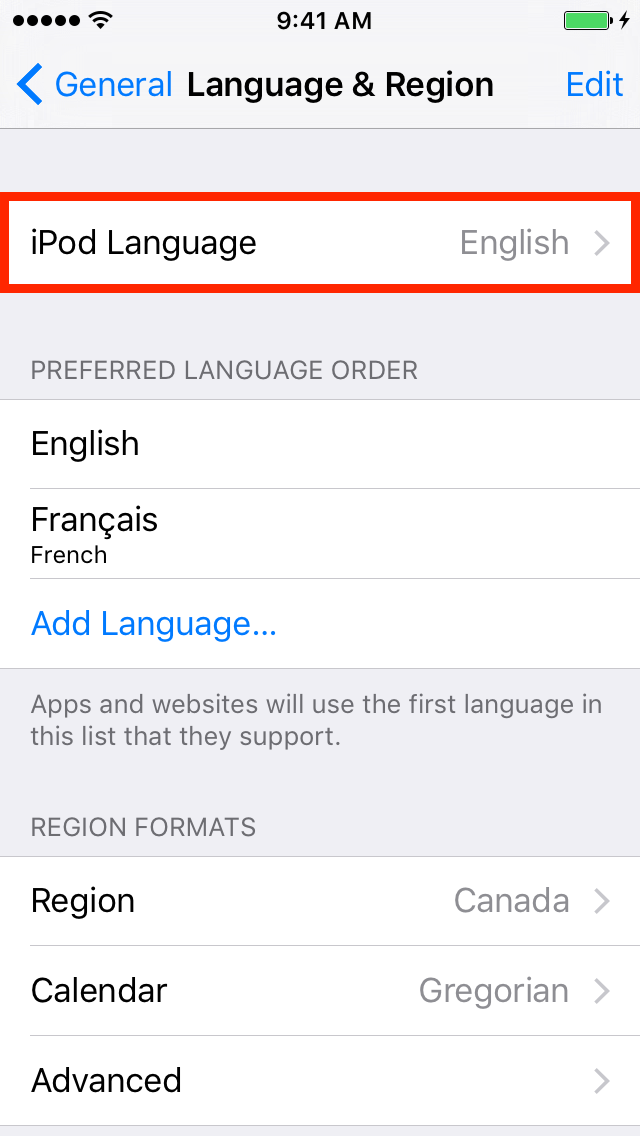
Go to "iPod/iPad/iPhone Language."
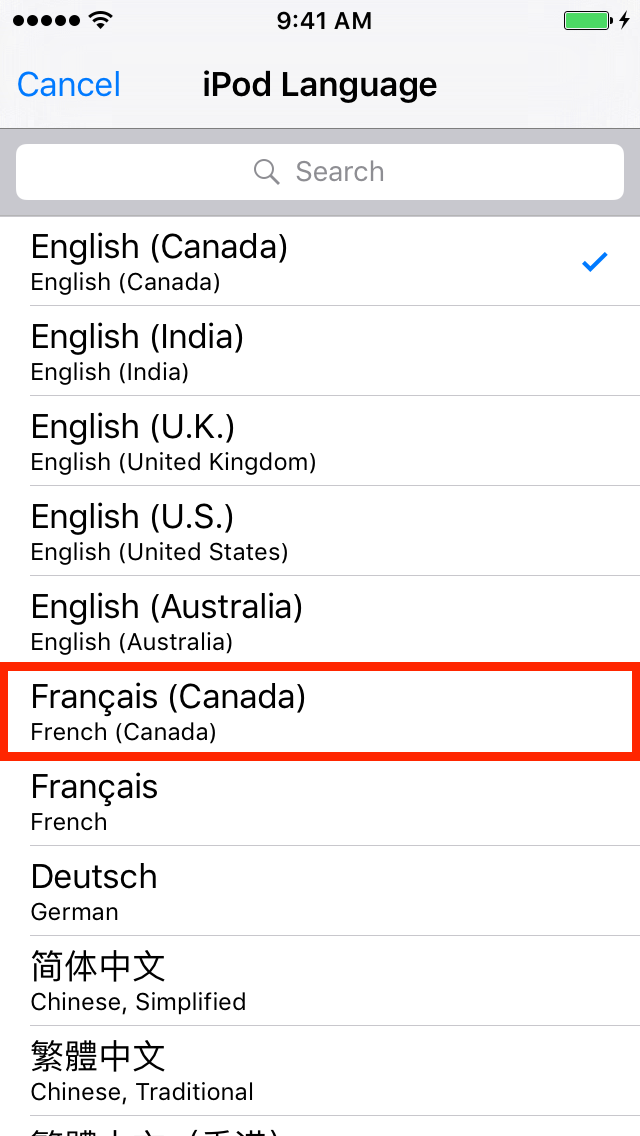
Click on "Français (Canada)."
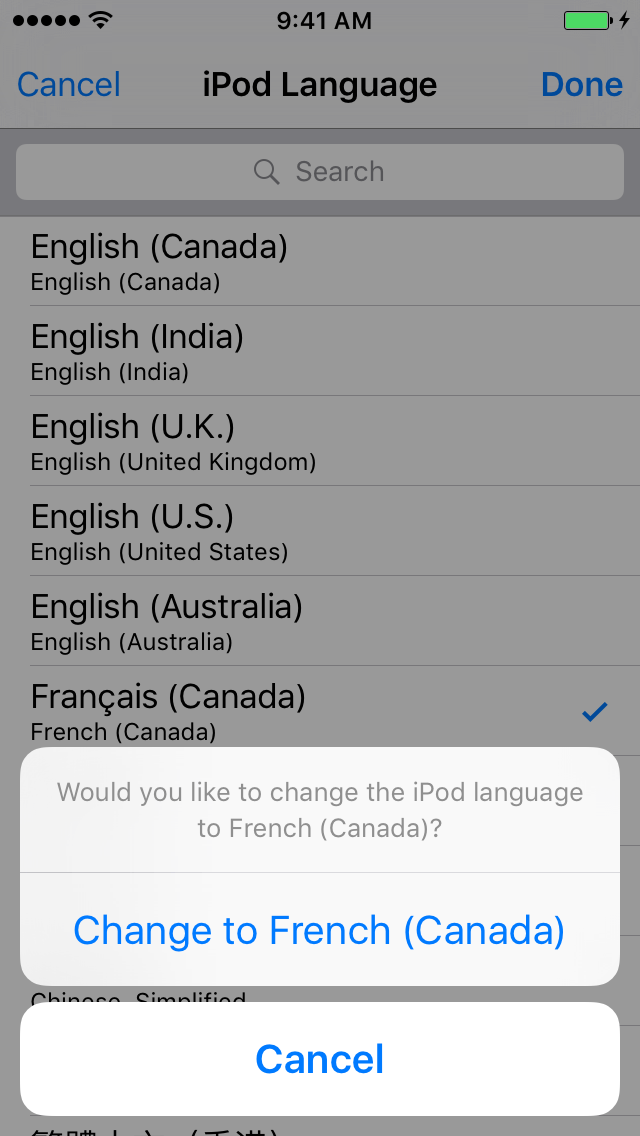
Confirm your language selection.
When you go to the Hockey Canada Network app, it will now be in French.
Was this article helpful?
Still need help?Submit A Ticket